

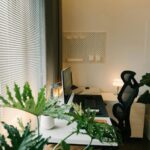



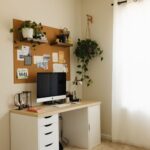

Creating a home office that blends comfort and productivity is essential for anyone working remotely or managing tasks from home. A well-designed workspace can improve focus, reduce stress, and help maintain a healthy work-life balance. Here, we’ll explore practical tips to transform your home office into a cozy, efficient environment suited to your needs.
Choose the Right Location
Selecting the right spot for your home office is the first step. Consider areas with:
– Natural Light: Position your desk near a window to benefit from daylight. Natural light helps reduce eye strain and enhances mood.
– Privacy: Choose a quiet corner or a room where you can minimize distractions and noise.
– Space: Make sure there’s enough room for your desk, chair, and essential equipment without feeling cramped.
If space is limited, even a small nook or a well-organized corner can serve as an effective workspace.
Invest in Comfortable and Functional Furniture
Your furniture choices impact both comfort and productivity. Here are some essentials:
– Ergonomic Chair: A supportive chair helps maintain good posture and prevents back pain.
– Desk: Choose a desk with enough surface area for your computer, documents, and accessories.
– Storage: Include shelves, drawers, or organizers to keep supplies tidy and within reach.
Adjustable desks or sit-stand options can also promote movement throughout the day.
Optimize Lighting
Good lighting is critical to reduce eye strain and create an inviting atmosphere.
– Use a mix of natural and artificial lighting.
– Consider a desk lamp with adjustable brightness and color temperature.
– Avoid glare on screens by positioning lights correctly, and use blinds or curtains to control sunlight.
Personalize Your Space
Adding personal touches can make your office feel more welcoming:
– Display photos, artwork, or motivational quotes.
– Incorporate plants to bring life and improve air quality.
– Use rugs or cushions for added warmth and texture.
Personalization helps create a space you enjoy spending time in, boosting motivation.
Keep Technology Organized
Technology is central to most home offices. Keeping it organized ensures a clutter-free workspace:
– Use cable management solutions like clips or sleeves.
– Position your monitor at eye level to reduce neck strain.
– Invest in peripherals such as a wireless keyboard or mouse for more flexibility.
Regularly update software and equipment to prevent interruptions.
Establish Clear Boundaries
Separating work from personal life is vital for mental well-being:
– Set clear working hours and stick to them.
– If possible, close your office door at the end of the day.
– Use storage bins or shelves to put away work items after hours.
Creating routines helps your brain switch between work and relaxation modes.
Incorporate Organizational Tools
A tidy workspace aids concentration:
– Use planners, calendars, or digital apps to keep track of tasks.
– Label folders and storage containers.
– Declutter regularly by removing unnecessary items.
Organizational tools help manage workload and reduce stress.
Maintain Good Air Quality and Temperature
Comfort extends beyond furniture and decor:
– Open windows when possible to circulate fresh air.
– Use fans or humidifiers to control air quality.
– Keep the room temperature comfortable, neither too hot nor too cold.
A pleasant environment contributes to sustained focus.
Add Inspiring Elements
Finally, consider including elements that inspire creativity and motivation:
– A vision board to track goals.
– Inspirational books or magazines.
– Music or white noise machines to boost concentration.
The right environment supports both comfort and productivity.
—
By thoughtfully designing your home office with these tips in mind, you can create a space that feels cozy yet promotes efficiency. Remember, the best workspace is one tailored to your personal preferences and work style, so feel free to experiment and adjust until it feels just right.